

Quick steps
1
Download NoteMe mobile app
Download the NoteMe app on your mobile device. Scan the QR code below for quick access, or use the direct links:
- iOS: Download from App Store
- Android: Download from Google Play
2
Create a note with 'calendar'
Open the NoteMe app, log in (or create a free account), and create a new note with the key “calendar” in the content field.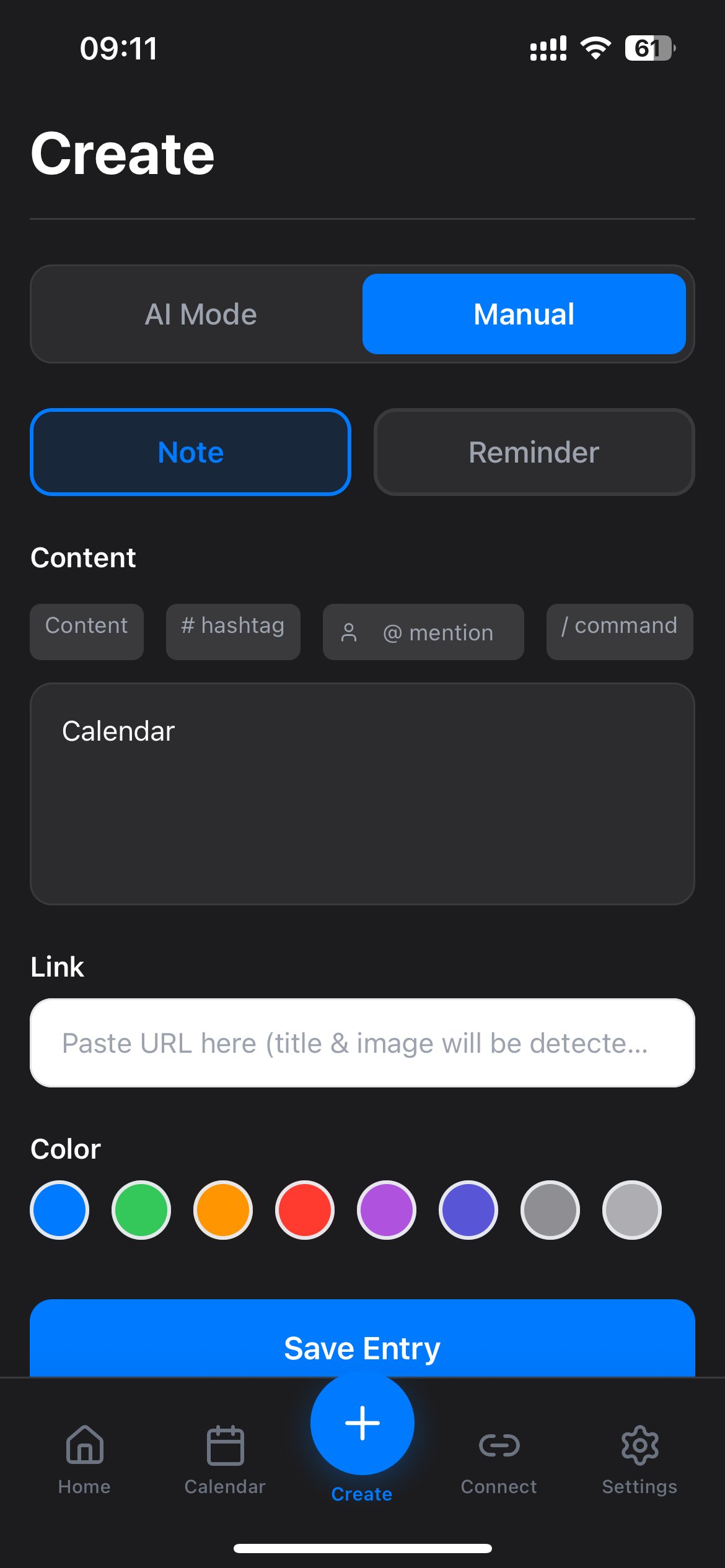
Note created with “calendar” key? Perfect! The system will process your request and return a code.
3
Receive your code
After creating the note with key “calendar”, you’ll receive your free Calendar Maker code instantly. The code will appear in your NoteMe app.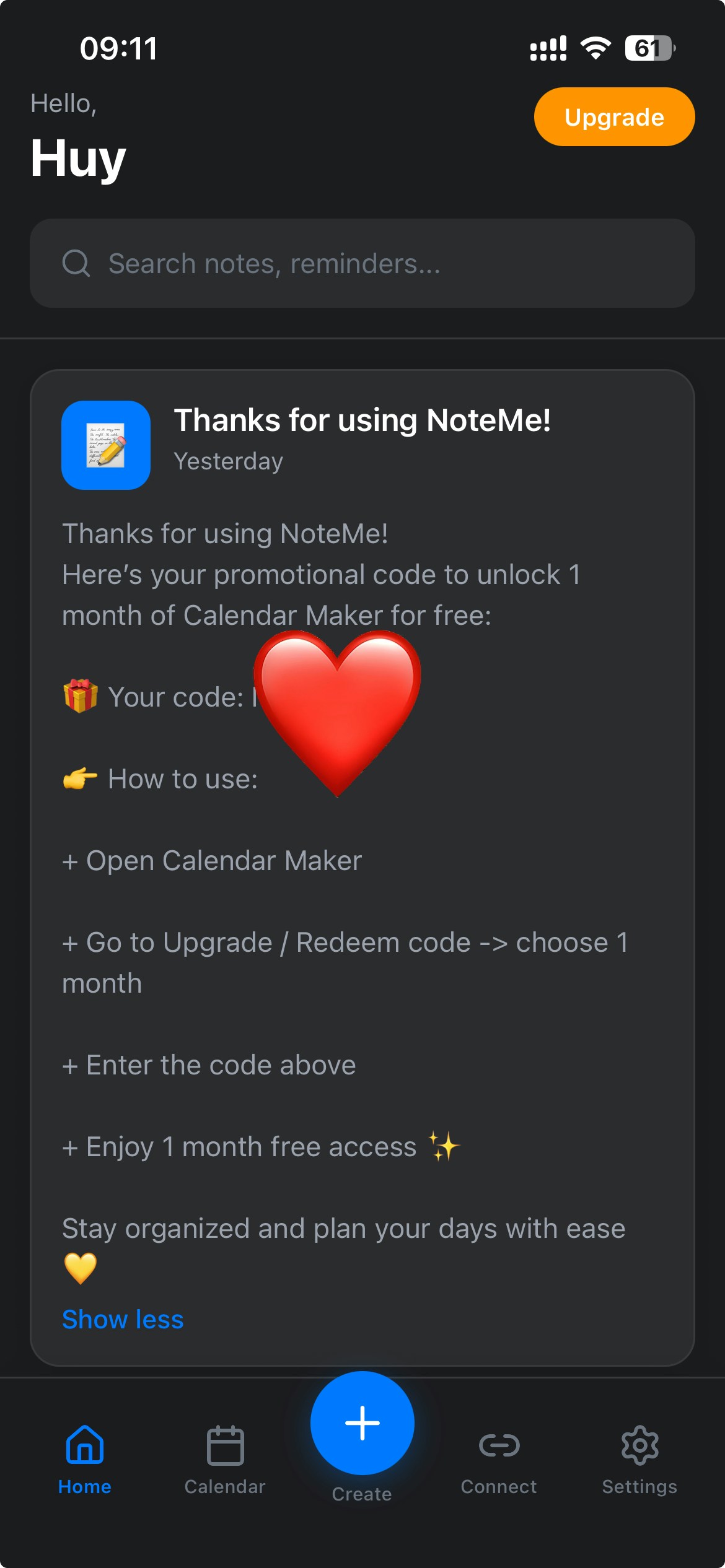
The code will be displayed in your NoteMe app. Make sure to copy it before proceeding to redeem.
4
Redeem your code
Once you have your code:
- Visit Calendar Maker in Canva
- Go to the payment/subscription page
- Select the 1-month plan (the code only works for the 1-month subscription)
- Enter your code during checkout
- Enjoy your free month of Calendar Maker!
About Calendar Maker
Calendar Maker is a powerful Canva app that lets you create beautiful calendars effortlessly:- Monthly calendars: Generate full-month calendars with just a few clicks
- Weekly calendars: Create weekly planners and schedules
- Custom date ranges: Choose any date range to create custom calendars
- Perfect for organization: Track deadlines, events, and important dates
Try Calendar Maker
Create your first calendar in Canva with Calendar Maker.
Troubleshooting
I didn't receive the code
I didn't receive the code
Make sure you’ve completed all steps correctly:
- Downloaded the mobile app (iOS or Android) - this doesn’t work on the web version
- Created a note with the exact key “calendar” (lowercase) in the content field
- Logged in to your NoteMe account
- Refreshing the app or restarting it
- Checking if the note was saved successfully
- Creating another note with “calendar” key
The code doesn't work
The code doesn't work
Make sure you:
- Selected the 1-month subscription plan (not annual or other plans)
- Entered the code exactly as shown (check for any extra spaces or characters)
- The code hasn’t expired (check the notification for expiration date if mentioned)
Can I use this on the web version?
Can I use this on the web version?
No, this offer is only available on the mobile app (iOS or Android). You need to download the app from the App Store or Google Play to participate.
Can I use this code if I already have Calendar Maker?
Can I use this code if I already have Calendar Maker?
This offer is typically for new users. If you already have an active Calendar Maker subscription, the code may not apply. Contact support for clarification.
Do I need a Pro NoteMe subscription?
Do I need a Pro NoteMe subscription?
No! This offer is available to all NoteMe users, including free users. You just need to download the mobile app and create a note with the key “calendar”.
What if I typed 'Calendar' with capital C?
What if I typed 'Calendar' with capital C?
Make sure to use lowercase “calendar” as the key. The system looks for the exact key “calendar” (all lowercase) in your note content.
Related guides
Getting Started with NoteMe
Learn how to use NoteMe effectively.
NoteMe Mobile App
Complete guide to NoteMe mobile features.