

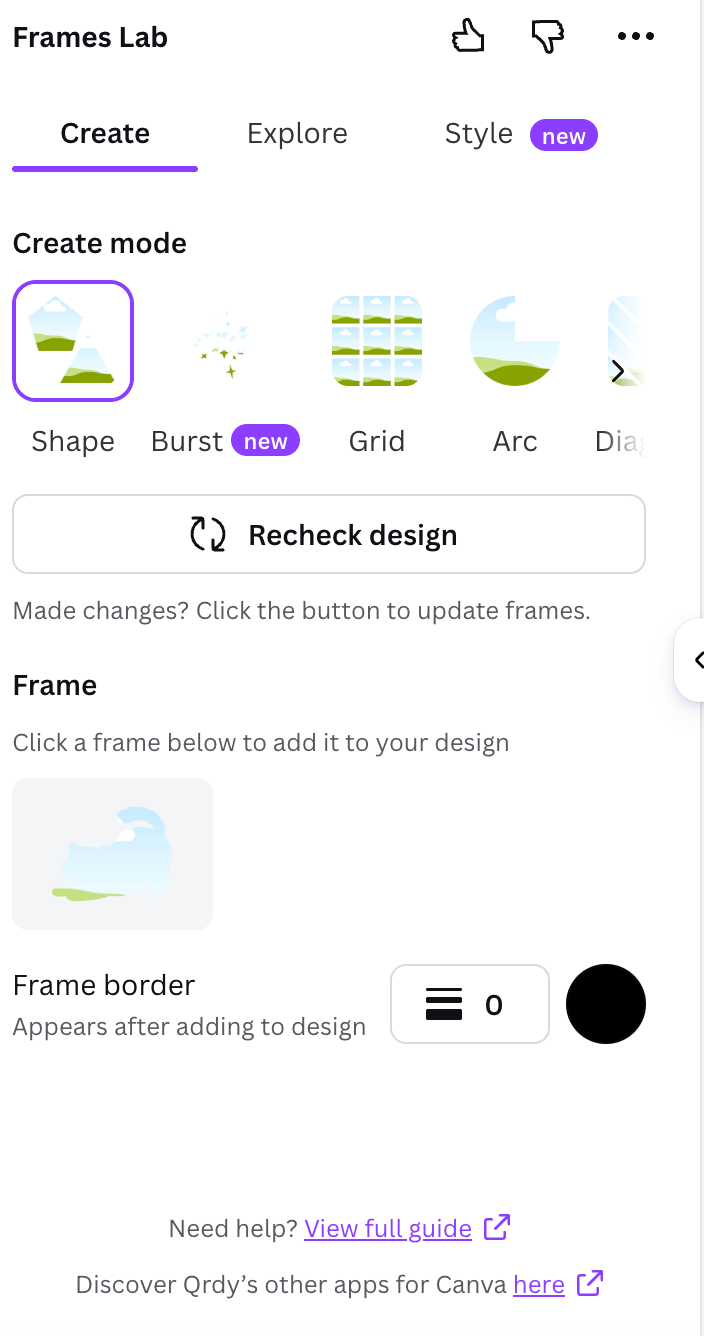
Frames Lab — Create, Explore, and Style tabs in Canva
What Frames Lab does
Frames Lab works in three tabs:Create
Build a new frame from five modes: Shape, Burst, Grid, Arc, and Diagonal.
Explore
Pick a ready-made frame from themed collections — no setup needed.
Style
Re-add a frame you just used with blur, border, or inner shadow effects.
How to make a custom frame (Create tab)
Open Apps in Canva, search for Frames Lab, and open it. In the Create tab, pick a mode from the Create mode strip.Turn a shape into a frame
1
Add a shape to your design
From Elements → Shapes or Graphics, add any shape to your Canva page.
2
Recheck design
In Frames Lab, click Recheck design so the app detects your shape.
3
Add the frame
Click the detected frame to drop it into your design. Set a border color and weight first if you want one.
Make a grid (collage) frame
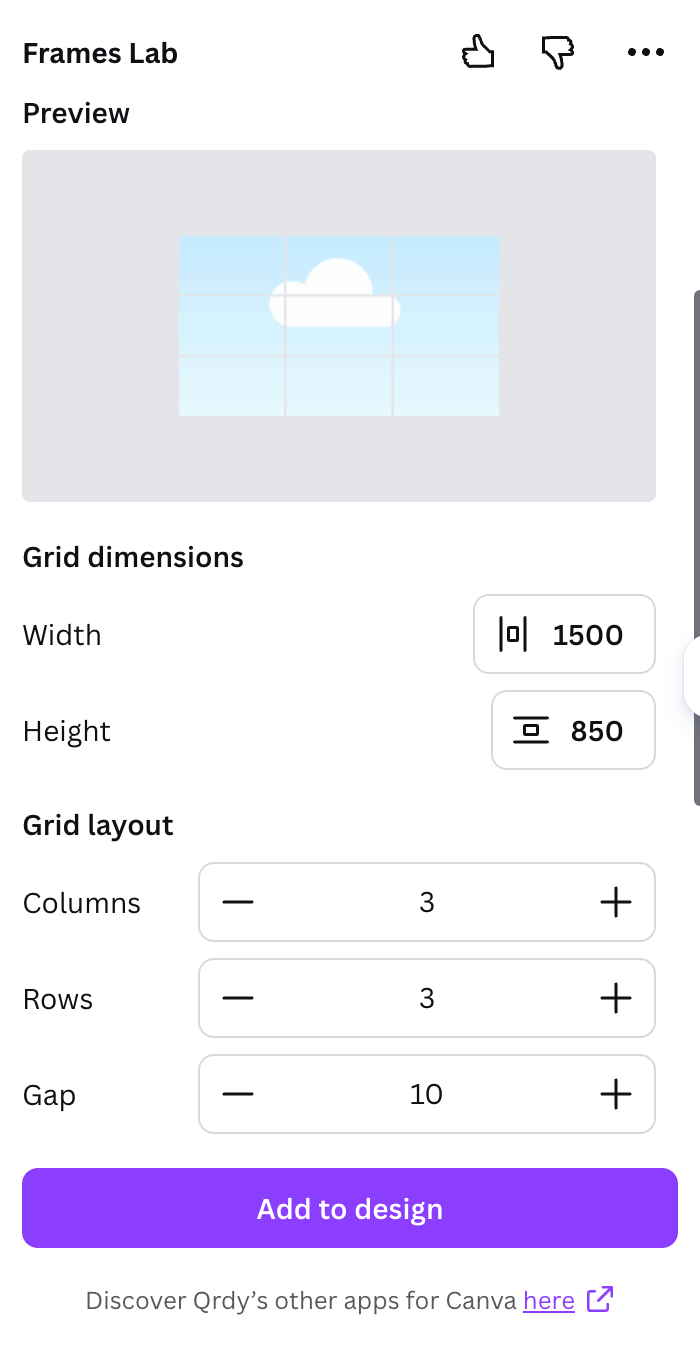
Grid mode — set columns, rows, and gap
1
Choose Grid mode
Select Grid in the Create mode strip.
2
Set dimensions and layout
Adjust width and height, then set columns, rows, and gap. The preview updates live.
3
Add a wave (optional)
Open the Wave effect to make the grid lines curve, or use Advanced options for combined cells and corner rounding.
4
Add to design
Click Add to design, then drag a photo into each cell.
Other Create modes
Burst
Random sunburst/spark frames. Tune Style, Density, Size, Spread, and Distribution — results are random, so grab one you like.
Arc
A curved/arc frame. Set the sweep angle and start angle.
Diagonal
Like Grid, but the strips run on an angle you control.
Shape
Turn any shape already in your design into a frame.
Use a ready-made frame (Explore tab)
If you don’t want to configure anything, open Explore and click a frame from the themed collections (Trending, seasonal sets, and more). It drops straight into your design.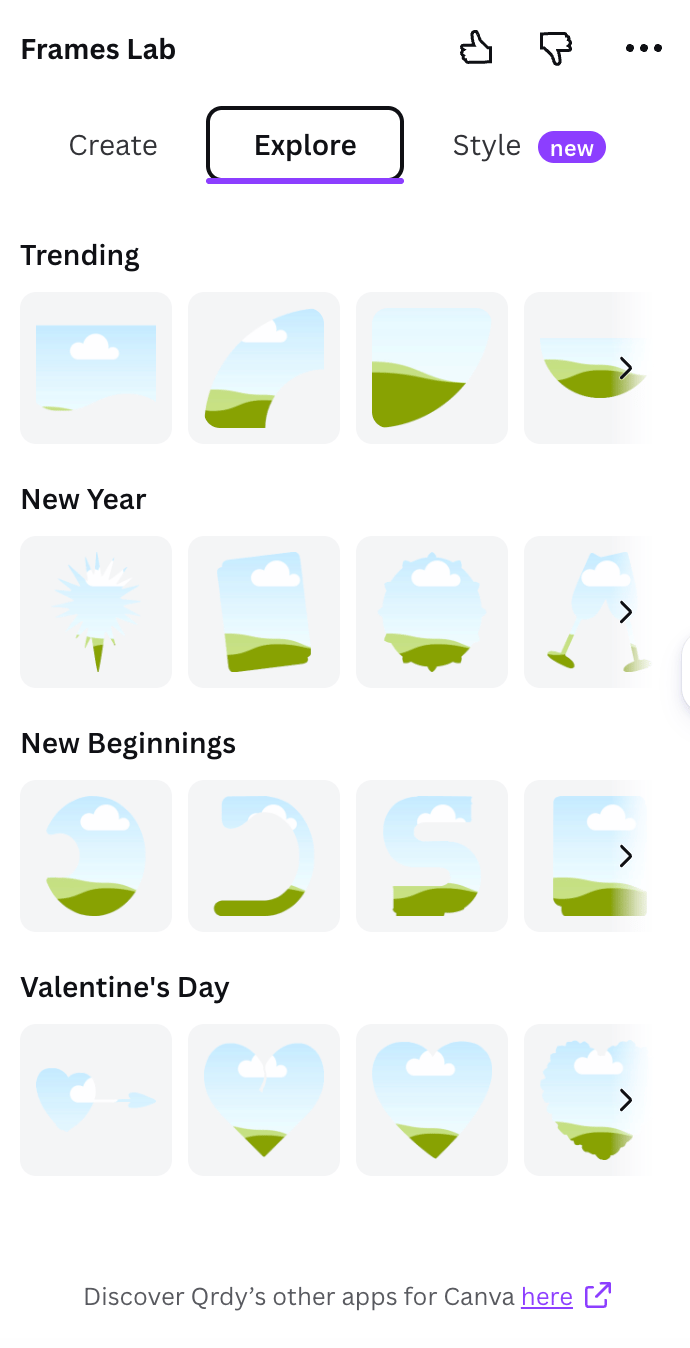
Explore — ready-made frame collections by theme
Add effects (Style tab)
Every frame you add is saved under Last frames in the Style tab. Re-add it with effects: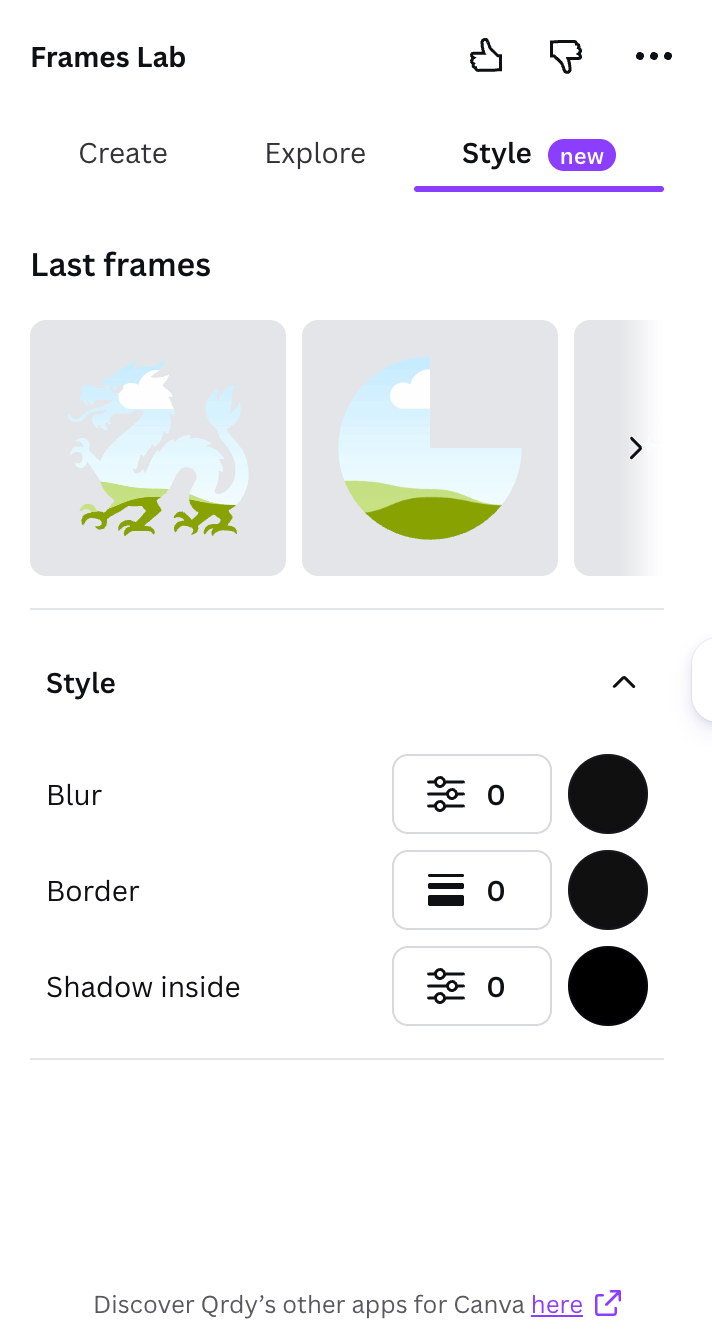
Style tab — blur, border, and inner shadow
- Blur — a soft glow behind the frame.
- Border — an outline that hugs the frame edge.
- Inner shadow — depth inside the frame.
Drop in your photo
After any frame is in your design, drag a photo or video onto it. The image snaps to the frame’s shape and crops automatically — double-click to reposition it inside.Frequently asked questions
Is Frames Lab free?
Is Frames Lab free?
Frames Lab has a free tier with a limit on how many frames you can add. Pro removes the limit.
Why doesn't my shape show up as a frame?
Why doesn't my shape show up as a frame?
Make sure the shape was added from Elements → Shapes/Graphics, then click Recheck design so the app picks it up.
My grid won't add — what happened?
My grid won't add — what happened?
Very complex grids (too many cells or a strong wave) get blocked. Reduce the rows/columns or the wave strength and try again.