

Don’t have a code yet? Get one from the Qrdy Student Pack first, then come back to this guide.
Redeem your student code in 3 steps
1
Open Image to Frames in Canva
On your code card, click Open in Canva & Use Code. You’re taken straight to the Image to Frames app inside Canva.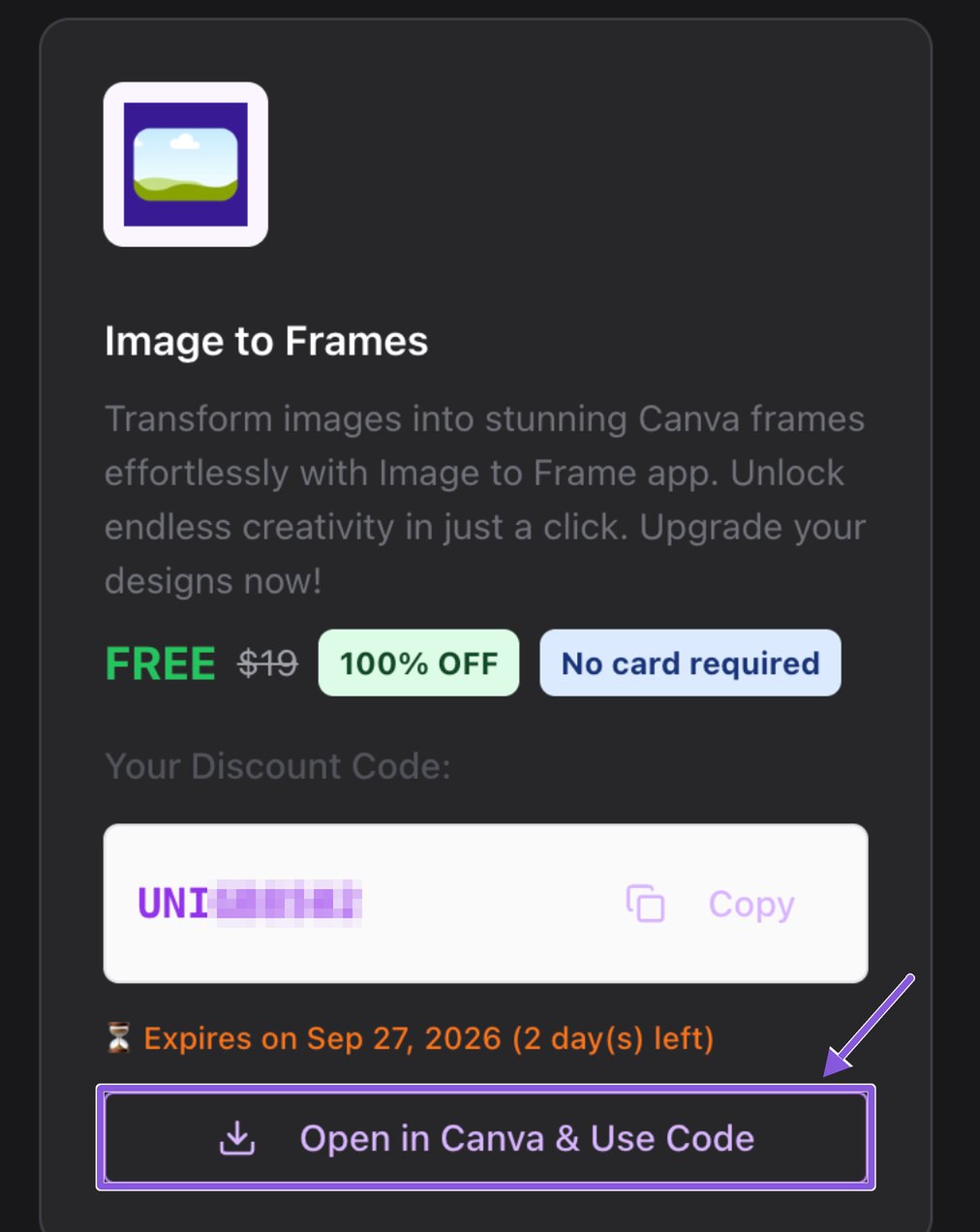
2
Click “Free for students & teachers”
In the app panel, find the line Free for students & teachers – learn more under Image to Frame Pro and click learn more.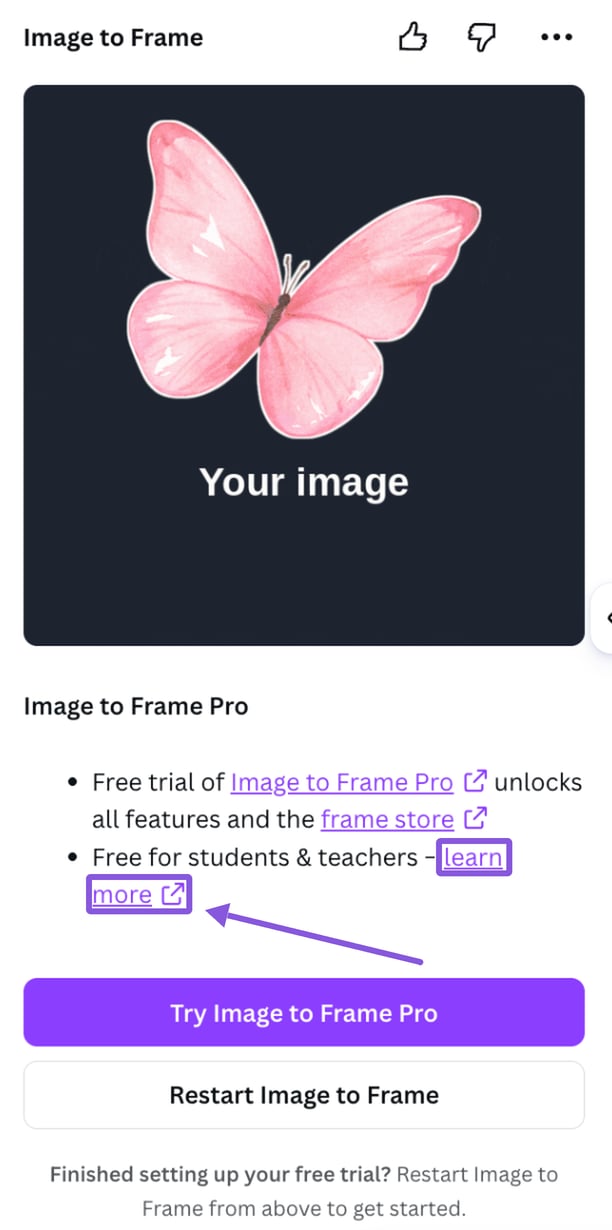
3
Enter your code at checkout
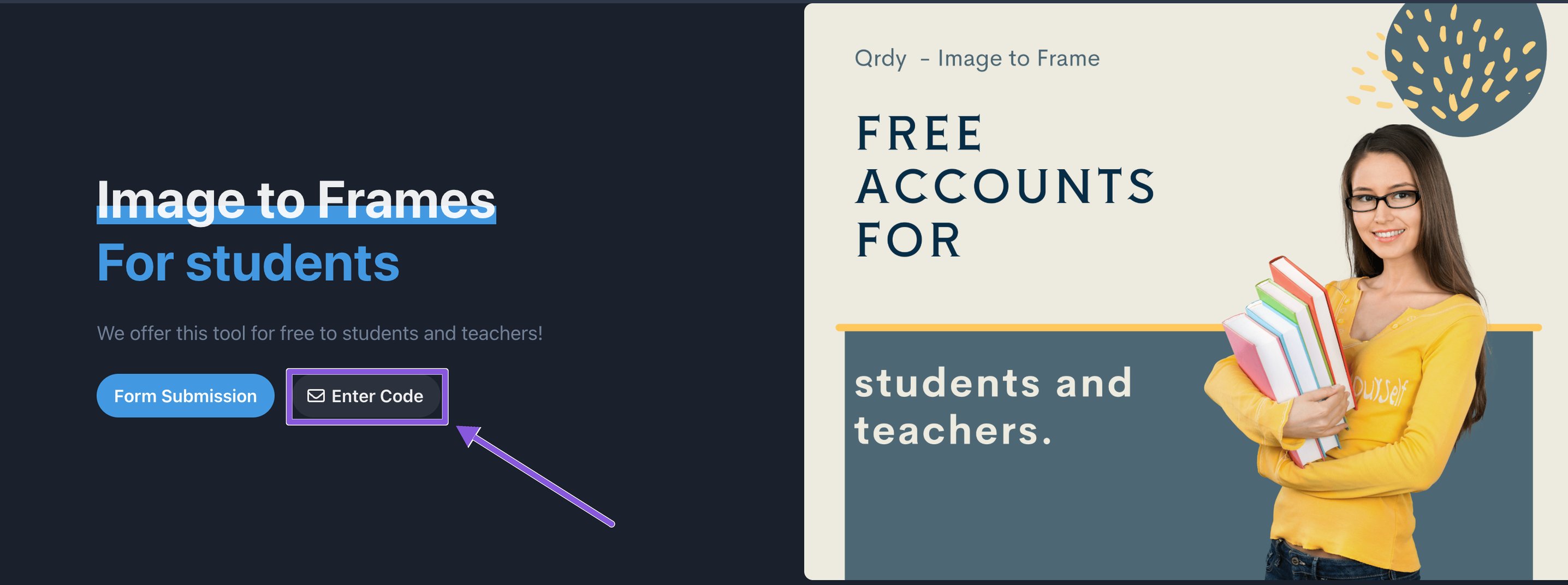
Click Enter Code. On the checkout page, scroll to the bottom, paste your code into the Discount code field, and click Apply. The total drops to $0 — finish checkout and Pro is unlocked.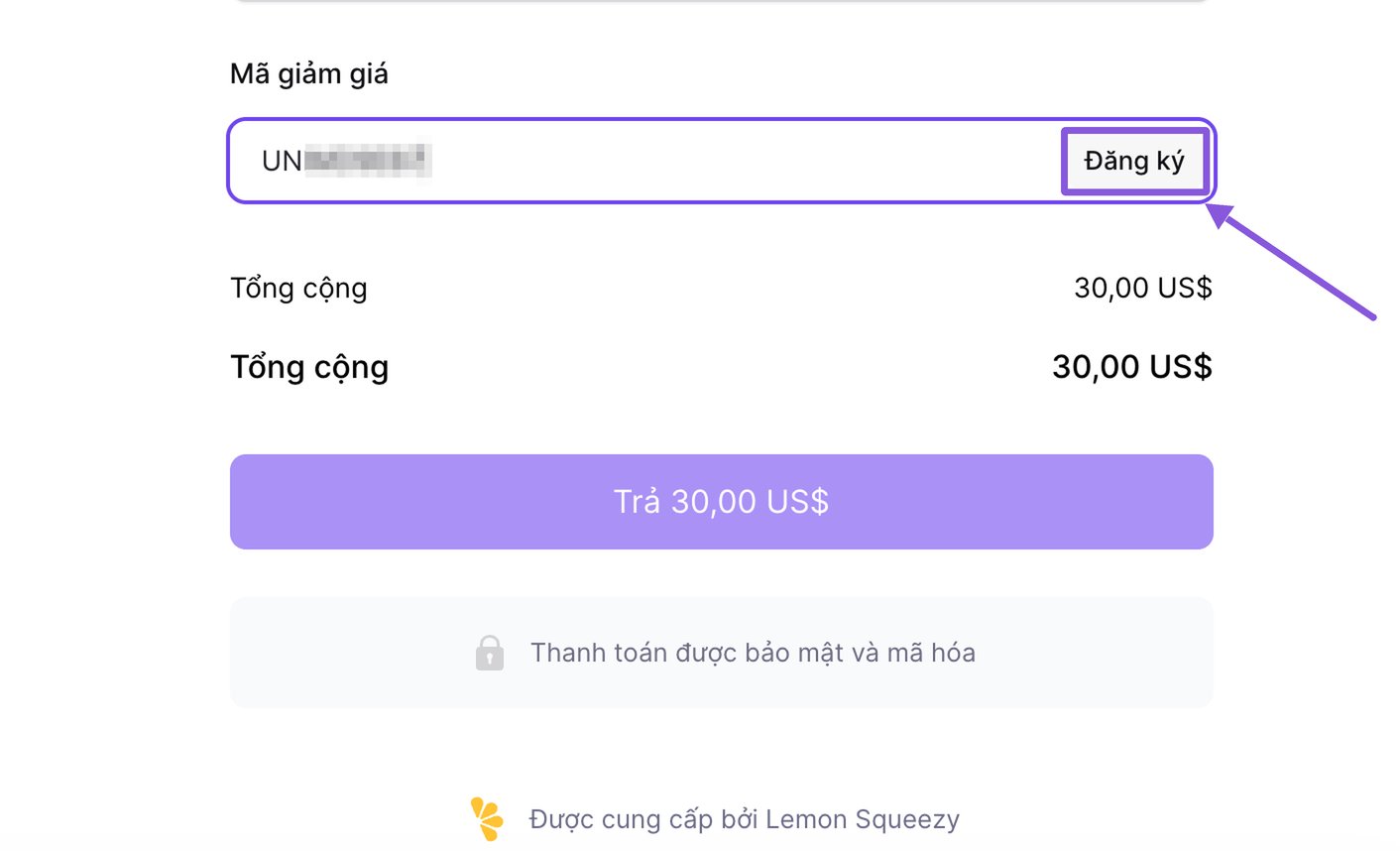
Done! Go back to Canva, click Restart Image to Frame in the app panel, and start creating with Pro.
Quick checklist
- Clicked Open in Canva & Use Code (or found Image to Frames in Canva Apps)
- Clicked Free for students & teachers – learn more
- Clicked Enter Code and applied your code at the bottom of checkout
- Restarted the app in Canva
Troubleshooting
My code says it's invalid or expired
My code says it's invalid or expired
Each code has an expiry date shown on your code card. Copy the code again using the Copy button to avoid typos or extra spaces. If it has expired, request a new one from the Student Pack page.
The total didn't drop to $0
The total didn't drop to $0
Make sure you clicked Apply after pasting the code. The discount only shows after it’s applied.
Pro isn't active in Canva after checkout
Pro isn't active in Canva after checkout
Click Restart Image to Frame in the app panel. If Pro still doesn’t show, close and reopen your Canva design.
Keep going
Pro features
See everything your free Pro plan unlocks.
Create a frame from an image
Make your first custom frame in Canva.