

QrdyCraft — turn any picture into a mosaic sticker game
How it works
1
Add a photo or a keyword
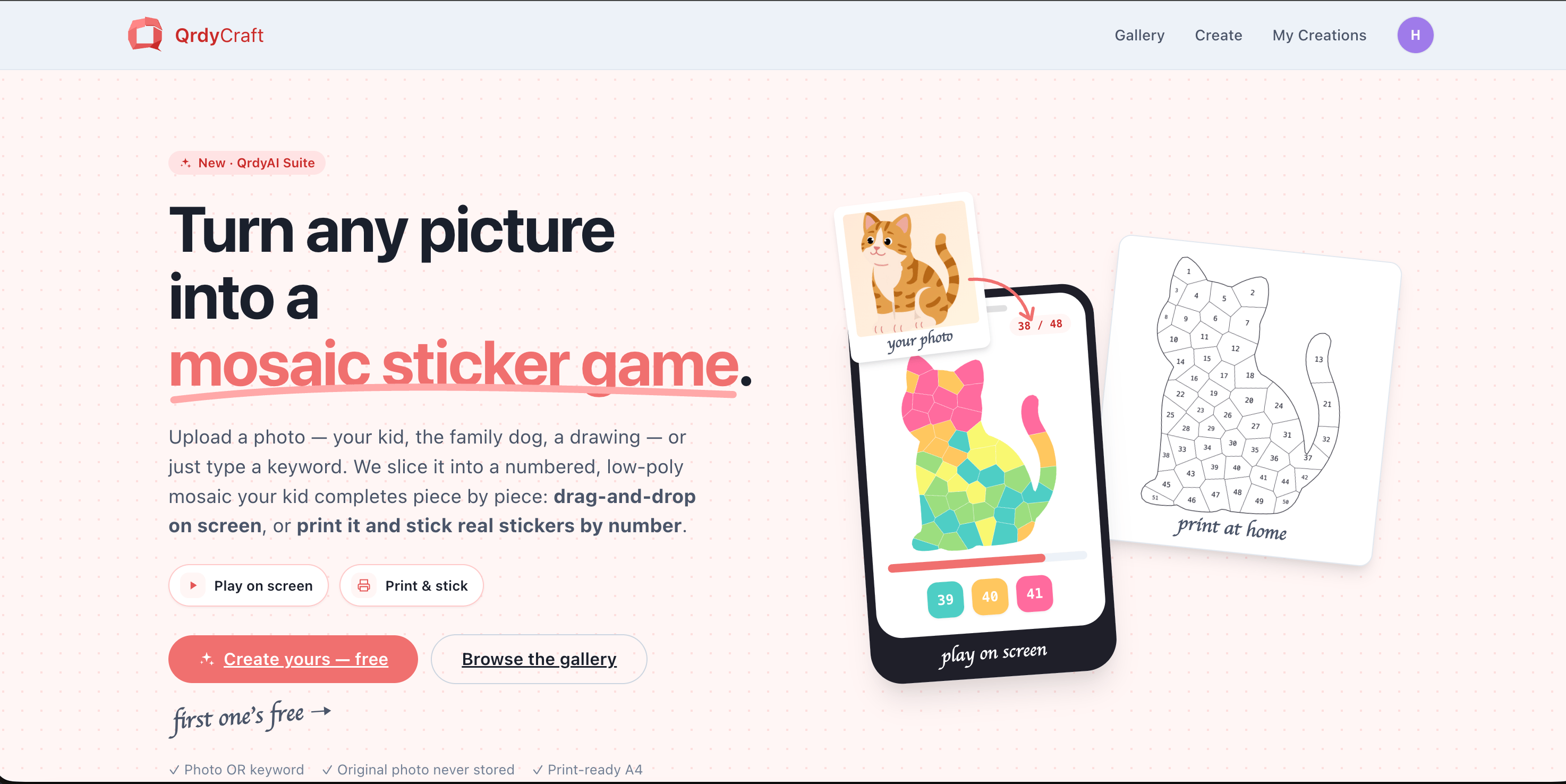
Upload a picture (your kid, the family dog, a drawing) or just type a keyword like “rainbow butterfly”.
2
AI builds the mosaic
In a few seconds, the image becomes a numbered, low-poly mosaic made of colored pieces.
3
Play on screen or print
Play online by dragging numbered stickers into place, or download a print-ready PDF.
4
Complete it piece by piece
Match each numbered sticker to its spot to reveal the finished, full-color picture.
Two ways to play
Play on screen
Open it on a phone or tablet and drag numbered stickers into the grid — no app, no sign-in. Finish it to trigger confetti and reveal the full-color art.
Print & stick
Download a print-ready PDF, print the numbered grid at home, and stick real decals by number.
Who it’s for
QrdyCraft is parent-operated and kid-played: you (the parent) type the keyword, pick the difficulty, and download or share the result; your child (roughly ages 4–12) plays it. Difficulty scales with age:Three output modes
Every mosaic comes in three views you can use however you like:Color
The finished full-color artwork.
Numbered grid
The blank numbered outline to fill in.
Sticker sheet
The numbered, colored pieces to cut and place.
Web and Canva
QrdyCraft runs on the web at qrdyai.com/craft — the full experience with online play, print-ready PDFs, a gallery, and your saved creations. It also runs as a Canva app, where you create a mosaic and add it straight into your design as an image.Privacy
Uploaded photos are only traced for their outline and then discarded — the original image is not stored, and mosaics made from uploaded photos never appear in the public gallery. Only keyword-based creations can become public.Free and Pro
QrdyCraft is free to start — your first creation is on us. Free includes a few AI creations per month and print-ready PDFs (the numbered grid, sticker sheet, and color key your child uses are always watermark-free). Pro removes the limits.Create your first mosaic — free
Turn a photo or keyword into a mosaic sticker game in seconds.
Frequently asked questions
Do I need an app or an account to play?
Do I need an app or an account to play?
No. Online play opens right in the browser — share a link or QR code and your child can start, no app or sign-in needed.
Is this an app for children?
Is this an app for children?
QrdyCraft is a family craft tool that a parent runs and a child plays with. The setup (keyword, difficulty, download) is meant for an adult; the finished game or printout is for the kids.
Can I use my own photo?
Can I use my own photo?
Yes. Upload a photo and QrdyCraft traces it into a mosaic. Your original image isn’t stored, and photo-based mosaics stay private.