

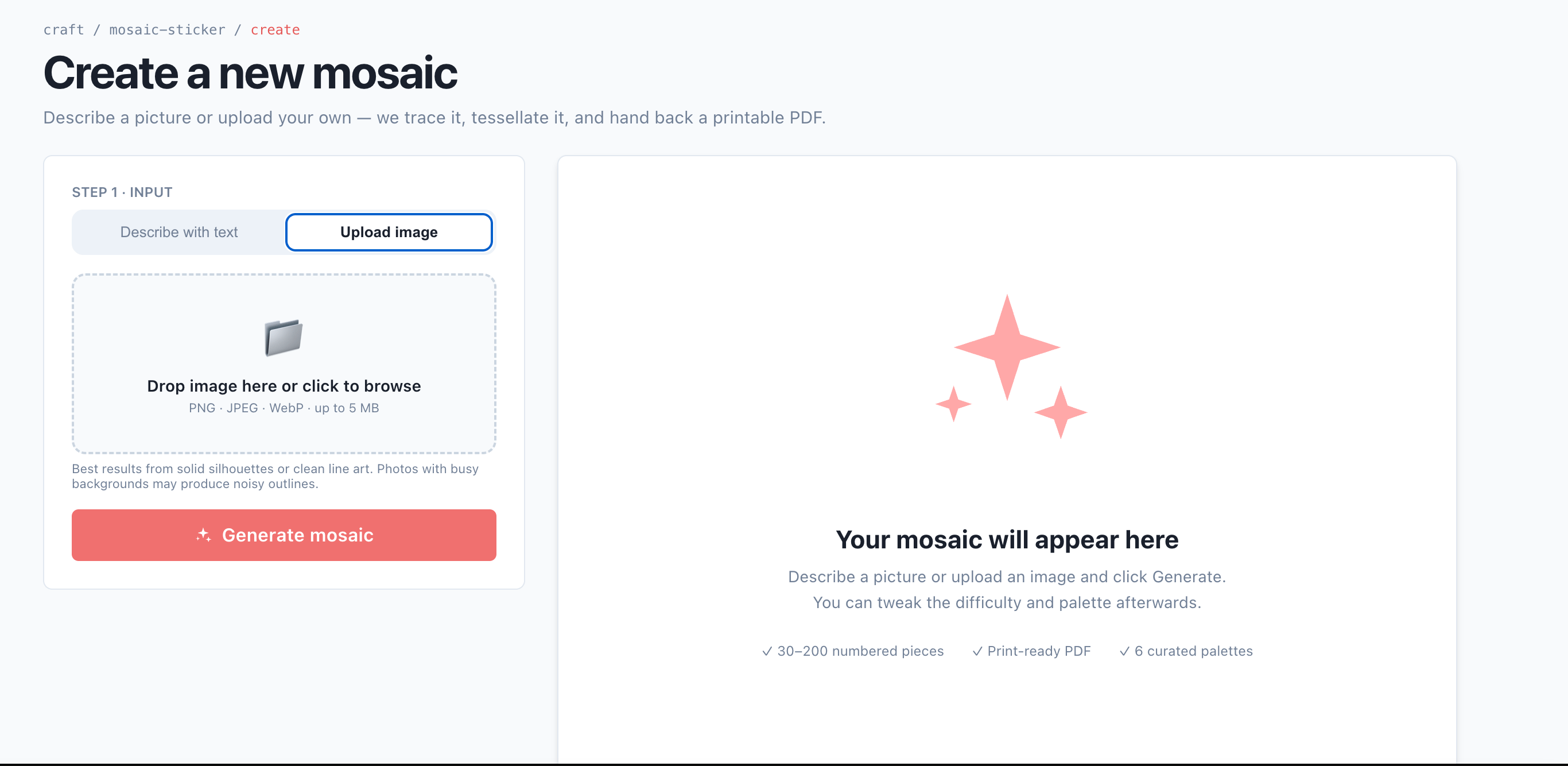
QrdyCraft's create page — upload a photo or type a keyword
Turn a photo into paint by numbers
1
Open the QrdyCraft generator
Go to qrdyai.com/craft and open the create page. No app or sign-in is needed to start.
2
Upload your photo (or type a keyword)
Upload a picture, or just type a keyword like “rainbow butterfly” if you don’t have a photo ready. Simple images with a clear subject trace best.
3
Pick a difficulty
Choose how many pieces the mosaic breaks into. More pieces means a harder, longer craft — match it to your child’s age (see the table below).
4
Let the generator build the mosaic
In a few seconds, QrdyCraft’s AI traces your image into a numbered, low-poly mosaic of colored pieces — the paint-by-numbers layout.
5
Play on screen or print
Play online by dragging numbered pieces into place, or download a print-ready PDF to complete by hand at home.
Open the QrdyCraft generator
Turn a photo or keyword into a custom paint-by-numbers in seconds — your first creation is free.
Match the difficulty to your child’s age
The generator scales the number of pieces so the craft isn’t too easy or too frustrating:Three ways to use the result
Every generated mosaic comes in three views, so you can play digitally, print, or both:Color
The finished full-color artwork — the picture your child is working toward.
Numbered grid
The blank numbered outline to fill in, just like a classic paint-by-numbers sheet.
Sticker sheet
The numbered, colored pieces to cut and place by number.
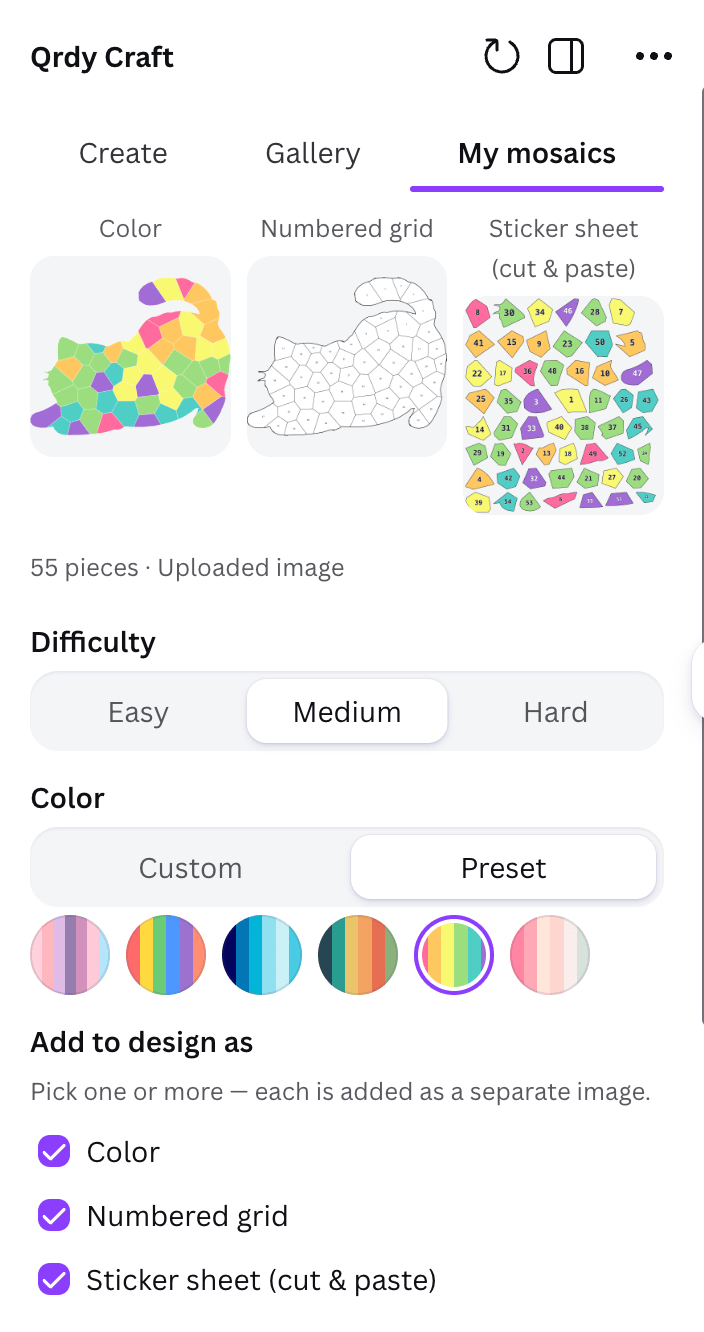
The generated result in its three output modes: color, numbered grid, and sticker sheet
Play on screen or print at home
Play online
Open it on a phone or tablet and drag numbered pieces into the grid — no app, no sign-in. Finishing it triggers confetti and reveals the full-color picture.
Print & complete
Download the print-ready PDF (grid, sticker sheet, and color key are watermark-free) and complete it with paint, markers, or real decals at home.
A note on your photos
Uploaded photos are only traced for their outline and then discarded — your original image isn’t stored, and paint-by-numbers made from uploaded photos never appear in the public gallery. Only keyword-based creations can become public.Frequently asked questions
Can I make paint by numbers from my own photo?
Can I make paint by numbers from my own photo?
Yes. Upload any photo and QrdyCraft’s generator traces it into a numbered mosaic you can play on screen or print. Your original image isn’t stored.
Is this the same as a paint-by-numbers kit?
Is this the same as a paint-by-numbers kit?
It’s a paint-by-numbers-style craft: QrdyCraft builds a numbered mosaic (sticker-by-number) where each piece maps to a color. You can complete it digitally by dragging pieces, or print it and fill it in by hand.
Do I need to pay to try it?
Do I need to pay to try it?
No. Your first creation is free, and print-ready PDFs are watermark-free. Pro removes the monthly creation limits.